K-12 operations, automated.
The operating system for the school day.
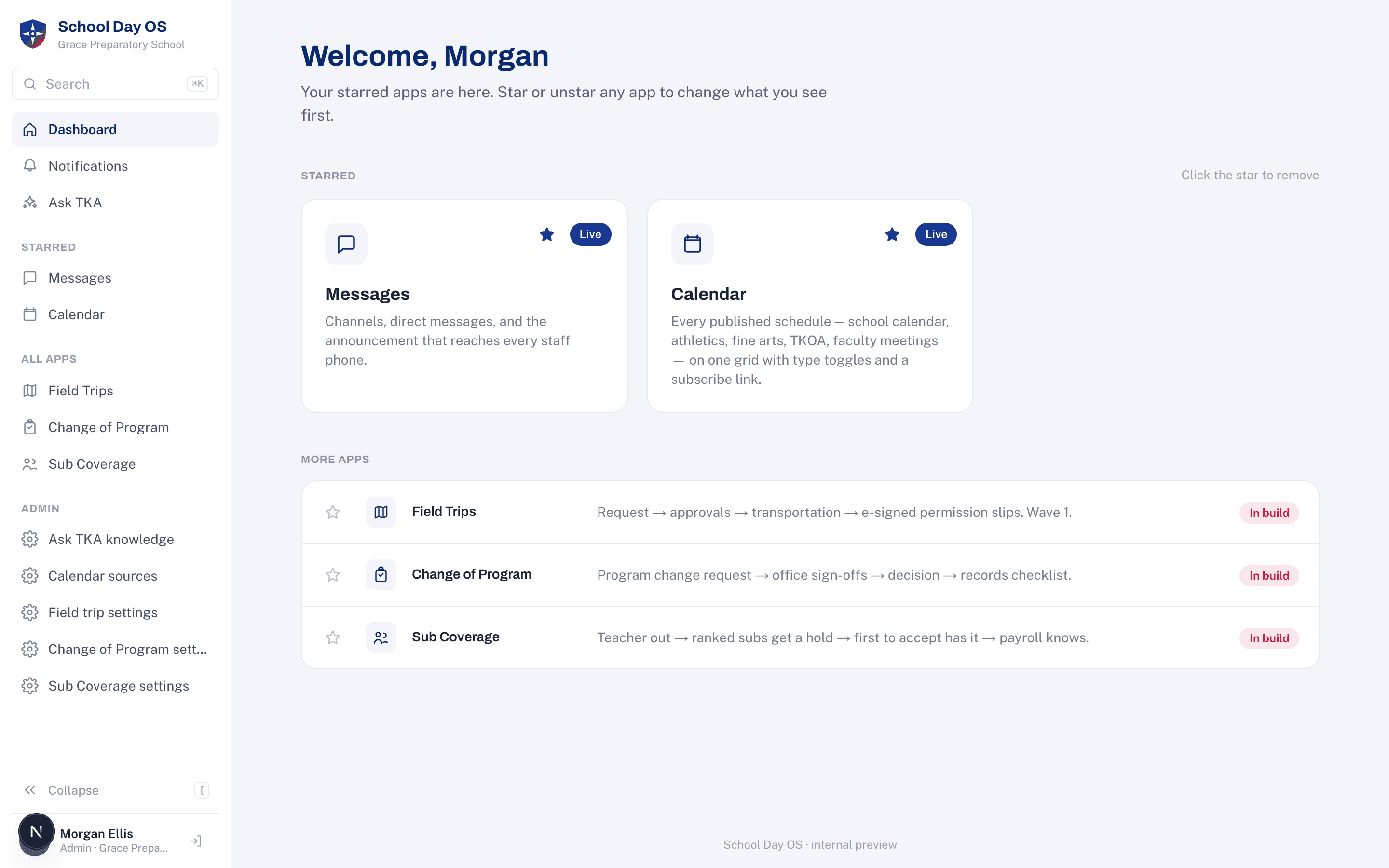
Field trips, sub coverage, messages, the calendar, the approvals that live in someone's inbox. Everything operational at a school, on one staff dashboard. It doesn't replace your SIS or LMS. It runs the day around them.
The layer nobody sells.
Schools run on a student information system, a learning management system, and paper for everything else. School Day OS is the third column. It integrates around the systems you already trust and retires the paper trails, the group texts, and the point tools.
Every workflow on one screen.
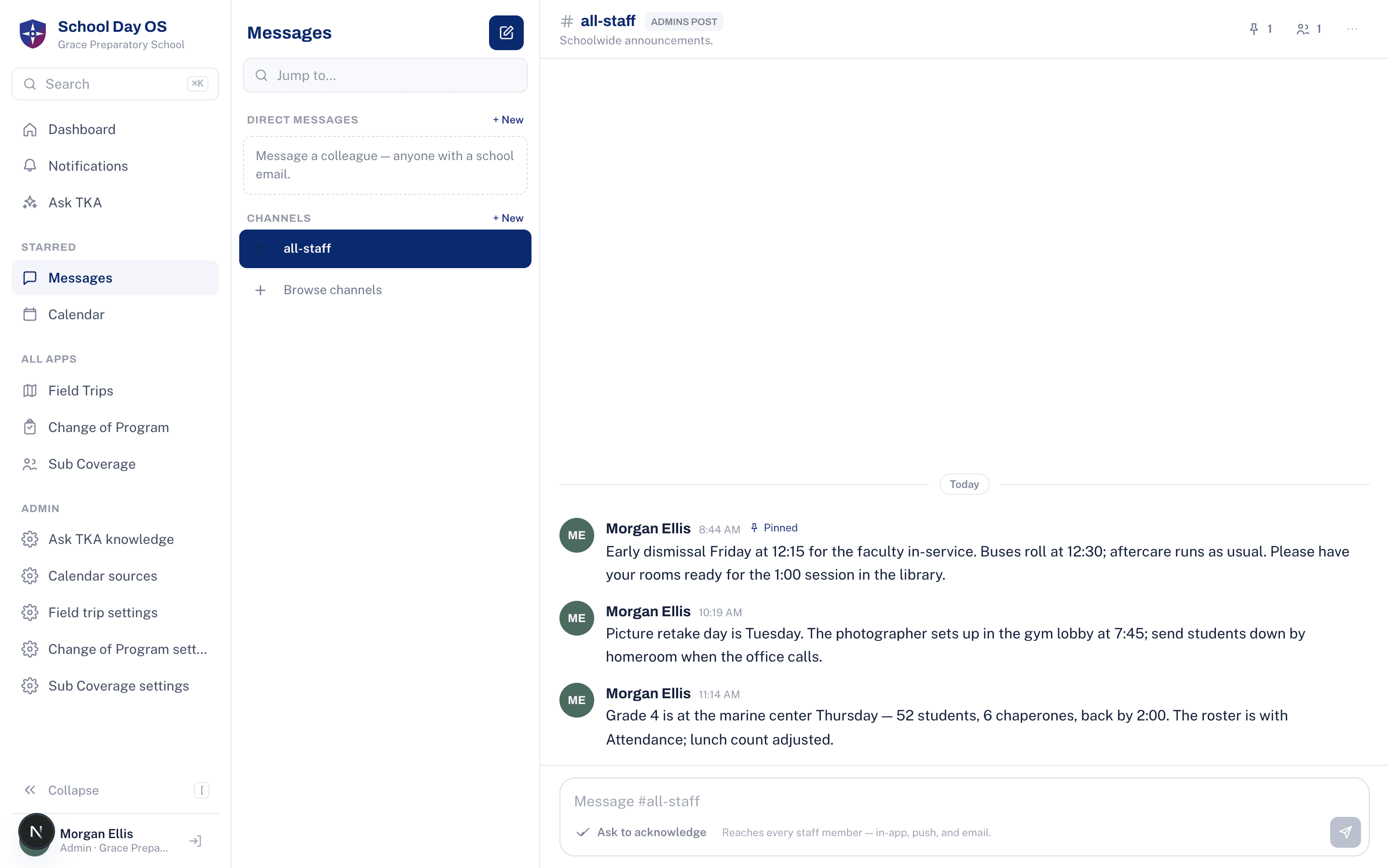
Messages
Channels, direct messages, and the announcement that reaches every staff phone.
- 1Post once, reach every staff phone
- 2Replies and reactions stay in one thread
- 3Acknowledgments tracked when a post requires them
One platform under every app.
One sign-in
Your school's Microsoft 365. No new passwords, no second directory to keep in sync.
One permission model
Offices and access levels decide who signs what and who can open which app.
One notification system
In-app, push, email, and text from a single fan-out, so nothing is announced twice or not at all.
One audit log
Every approval, edit, and sign-off recorded with who and when. Auditors ask; the log answers.
Data, handled like a school should.
Isolated at the database with row-level security, not by application code remembering to filter
Access follows your Microsoft 365 directory. When IT disables an account, access ends the same day
No student or parent accounts. Family-facing pages are public links with nothing to sign into
Automation drafts. People decide. Every approval carries a person's initial
Want to see it live?
- A walk through the staff dashboard with someone who uses it every day
- What connecting your Microsoft 365 takes
- Which apps to turn on first for your school
- Time for your questions